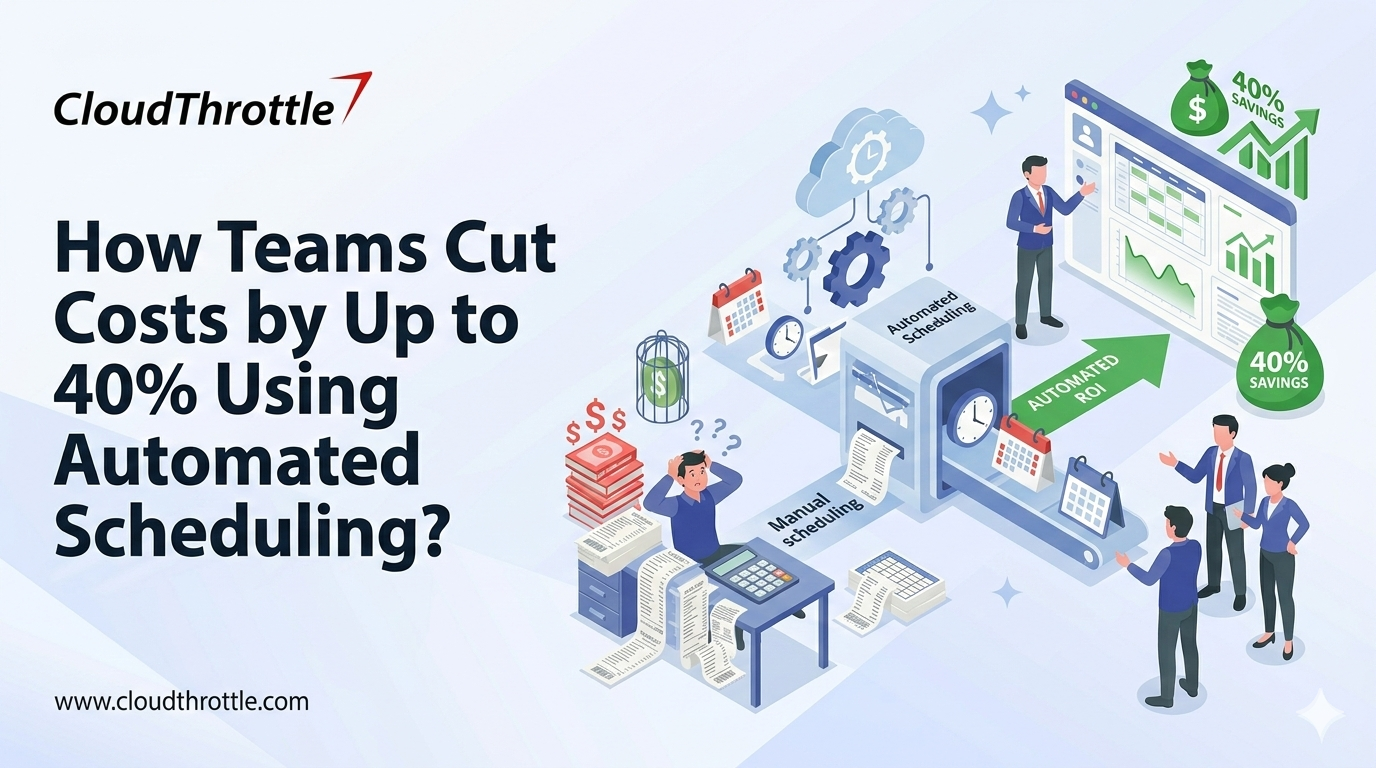
Why do systems continue running when the work they support is already complete? Many environments still follow an always-on model, even though workloads such as development and reporting operate in defined cycles. This disconnect between execution timing and infrastructure availability leads to avoidable costs and limited operational clarity. AWS automated scheduling introduces structured control by aligning system activity with actual demand, allowing resources to operate only when they are required and helping teams reduce unnecessary AWS compute spend through time-based controls.
Let us examine how automated scheduling brings discipline to resource usage and supports more efficient infrastructure management:
What Is Automated Scheduling?
Modern IT environments create workloads that follow predictable patterns, yet many businesses still run their infrastructure continuously as if demand were constant. Automated scheduling addresses this inefficiency through policy-driven orchestration that starts, stops, scales, or sequences workloads based on time rules, usage signals, or dependency logic. AWS instance scheduling automation integrates with AWS-native control planes and approved governance workflows to coordinate execution across systems without manual intervention in practice. The result is an operational architecture where applications and supporting services run only when they deliver measurable value.
Top 5 Ways Automated Scheduling Helps Cut Costs
Cost reduction becomes visible once infrastructure behavior is synchronized with actual workload demand instead of continuous availability. Here are the primary ways automated scheduling reduces unnecessary expenditure.
- Eliminates Idle Runtime Across Non-Production Environments
Development and staging systems often remain active long after business hours, even though they are used only during defined engineering cycles. AWS automated scheduling shuts these environments down during periods of inactivity and restarts them before the next usage window begins.
This approach links infrastructure availability directly to developer activity. It ensures that compute charges reflect actual work rather than continuous uptime. Integration with approved access policies and deployment workflows further strengthens control because environments activate only when deployments or testing events occur.
- Matches Compute Activation to Batch and Analytics Processing Windows
Reporting and analytics workloads often run on predictable execution cycles such as scheduled ETL processing or timed data aggregation. Scheduling provisions the required compute shortly before these jobs begin and releases it after processing is complete.
Resources remain active only for the duration needed to support the workload, removing the need to maintain continuously running clusters sized for peak demand. This model supports broader AWS cost optimization using automation by guaranteeing that compute consumption directly corresponds to processing windows.
- Prevents Resource Sprawl Through Controlled Lifecycle Management
Temporary environments created for testing or short-term initiatives often persist beyond their intended purpose. Automated lifecycle policies define expiration rules at the time of provisioning, which means resources shut down or terminate automatically unless renewed.
AWS instance scheduling automation reinforces this discipline by enforcing time-based controls across accounts and projects. This approach keeps infrastructure aligned with intended usage and prevents the gradual accumulation of idle assets that increase costs over time.
- Reduces Network and Storage Overhead Linked to Always-On Systems
Systems that run continuously generate synchronization traffic and recurring logging even when no business processing occurs. Limiting runtime to defined operational periods reduces background network activity and storage growth.
When systems operate only during required execution windows, supporting services such as monitoring scale down accordingly. These adjustments strengthen overall AWS cost reduction strategies by minimizing indirect consumption tied to idle runtime.
- Aligns License Consumption With Actual Operational Hours
Many enterprise platforms charge licenses based on active runtime or enabled capacity, which means continuously running services inflate contractual usage. Automated scheduling activates platforms only when they are genuinely required and shuts them down immediately after tasks complete. This structured control helps organizations reduce AWS bill with scheduling by aligning licensed capacity directly with business execution rather than constant availability.
Operational Benefits Beyond Cost Savings
The same mechanisms that control cost also introduce operational discipline, since workloads now execute within governed timeframes and validated sequences.
- Improves Execution Predictability Across Dependent Systems
Complex workflows such as data ingestion followed by validation and reporting rely on precise sequencing. AWS instance scheduling automation enforces dependency-aware execution so that downstream tasks run only after prerequisite processes complete successfully. This structured coordination enhances overall AWS automated scheduling practices by ensuring system availability aligns precisely with workflow dependencies.
- Strengthens Change Management and Auditability
Every scheduled action produces traceable logs that show when infrastructure was activated or terminated. These records support compliance audits and provide verifiable evidence of operational control. As part of broader AWS cost optimization using automation, this traceability ensures that runtime decisions are documented and seamlessly aligned with governance standards.
- Enables Data-Driven Capacity Planning
Consistent execution windows generate historical metrics on runtime duration and throughput. Teams analyze this data to refine instance sizing and scaling policies based on observed behavior rather than assumptions. These insights contribute to more effective AWS cost reduction strategies by aligning capacity planning with real operational demand over time.
Industries Seeing the Highest ROI from Scheduling Automation
The advantages of time-aligned infrastructure become most apparent in industries where workloads are cyclical or computationally intensive.
Here are industries seeing the highest ROI from scheduling automation due to their reliance on time-bound workloads and resource-intensive operations:
- Financial Services
Risk calculations and regulatory reporting occur on defined schedules. AWS automated scheduling provisions high-performance compute only during these processing intervals, balancing compliance accuracy with cost discipline. This approach aligns infrastructure availability with end-of-day settlement cycles and audit timelines while reducing the need for permanently allocated processing capacity over time. It supports structured AWS cost optimization using automation without compromising regulatory rigor.
- Healthcare and Life Sciences
Clinical analytics and research simulations require controlled execution to maintain data governance standards. Automated orchestration aligns system availability with approved processing windows while maintaining full traceability. Validation checkpoints and access controls are enforced before analytical models execute through disciplined AWS instance scheduling automation. It reinforces regulatory adherence and operational oversight.
- Retail and E-Commerce
Inventory synchronization and campaign analytics run in bursts tied to business events. Scheduled scaling prepares infrastructure for these demand spikes and releases it afterward, stabilizing operational spending despite variability. These practices form part of broader AWS cost reduction strategies. They make sure that the systems operate primarily during catalog refresh cycles and promotional launches when revenue impact is highest.
- Technology and SaaS Providers
Continuous integration pipelines and sandbox environments operate intermittently across development cycles. Scheduling governs their activation, supporting rapid delivery without sustaining unnecessary baseline consumption. By helping teams reduce AWS bill with scheduling, environments are instantiated for build and validation phases and decommissioned after completion, keeping resource usage tightly aligned with release activity.
Top Tools for Automated Scheduling and Workload Orchestration
Organizations that want to control resource utilization must rely on tools that translate policy into repeatable execution. The platforms below support structured scheduling across cloud and hybrid environments and allow teams to align infrastructure activity with defined operational timelines.
1. CloudThrottle
CloudThrottle governs cloud resource lifecycles through policy-driven automation that aligns runtime with business schedules and enforces budget-aware scheduling policies. The platform applies structured controls across development environments and analytics workloads so infrastructure operates only during required periods. Integration with native cloud services allows consistent enforcement of scheduling decisions across multiple AWS accounts managed under governance policies.
Key Highlights:
- Centralized policy framework that defines execution windows across regions
- Automated activation and shutdown aligned with approved operating calendars
- Financial visibility tied directly to scheduled usage patterns through centralized budget observability
- Access controls that maintain governance while allowing team-level management
2. ActiveBatch
ActiveBatch delivers enterprise workload automation through a unified orchestration layer that coordinates operational processes and infrastructure tasks. The platform manages interdependent workflows across applications and on-premises environments so execution follows defined sequencing logic. It can complement automated scheduling for AWS by coordinating cross-system dependencies beyond native cloud triggers.
Key Highlights:
- Visual workflow modeling that simplifies complex process coordination
- Event-based execution that responds to system activity rather than manual triggers
- Prebuilt integrations that connect enterprise applications and databases
- SLA tracking that supports reliability across time-sensitive operations
3. Redwood RunMyJobs
Redwood RunMyJobs provides managed scheduling delivered as a cloud service. Organizations use it to coordinate recurring business processes such as financial operations and reporting without maintaining their own automation infrastructure. It supports broader AWS cost optimization using automation by aligning runtime activity with structured business cycles.
Key Highlights:
- Managed delivery model that removes maintenance responsibility
- Direct connectivity with enterprise platforms used in regulated environments
- Execution transparency through audit-ready operational records
- Elastic processing capacity that adjusts to workload variation
4. Apache Airflow
Apache Airflow orchestrates data-centric workflows through code-defined pipelines that express dependencies clearly. It supports environments where scheduling must align with data availability and structured processing logic. When integrated with cloud services, it enhances AWS instance scheduling automation by ensuring compute resources are activated in coordination with data workflows.
Key Highlights:
- Directed workflow definitions that enforce task sequencing
- Extensible operators that integrate with storage systems and compute services
- Execution tracking that provides operational visibility and retry control
- Strong alignment with analytics and machine learning operations
5. Tidal Automation
Tidal Automation coordinates workload execution at enterprise scale with emphasis on operational continuity and performance oversight. It supports hybrid infrastructure models that require centralized governance across multiple environments.
Key Highlights:
- Cross-environment orchestration spanning cloud and legacy platforms
- Predictive workload analysis that identifies potential capacity constraints
- Role-based permissions that separate operational control from administration
- Architecture designed for high availability in mission-critical contexts
Note: Information reflects publicly available sources at the time of publication and may change.
Key Features to Look for in Automated Scheduling Tools
Tool selection must focus on operational integration and governance capability rather than simple time-based execution. Effective platforms translate business policy into enforceable runtime behavior and provide visibility into how workloads consume infrastructure.
- Policy-Based Orchestration Engine: Scheduling platforms must support rule definition tied to time or utilization thresholds. This capability aligns execution with operational demand rather than static assumptions.
- Integration With Cloud, Application, and Identity Systems: Direct connectivity to cloud APIs and CI/CD workflows allows scheduling decisions to reflect real activity signals. Integration prevents isolated automation that cannot respond to system dependencies.
- Dependency-Aware Workflow Management:
Schedulers must coordinate task order so that prerequisite processes complete before dependent execution begins. This structure reduces failure risk in pipelines that rely on sequential validation. - Real-Time Monitoring and Feedback Loops:
Operational dashboards should capture runtime duration and resource consumption. Continuous telemetry provides evidence that supports optimization decisions and policy refinement. - Lifecycle Governance and Expiration Controls: Automation platforms must enforce time-bound resource usage through expiration rules. Governance mechanisms prevent temporary environments from persisting beyond their intended purpose.
- Scalability Across Distributed Environments:
Scheduling systems must coordinate workloads across hybrid and multi-cloud infrastructure without synchronization gaps. Consistent control across environments supports long-term operational stability.
Steps to Implement Automated Scheduling Successfully
Here is a structured approach to introducing scheduling automation without disrupting existing operations:
Step 1: Identify Workloads With Predictable Execution Patterns
Organizations should start with workloads that follow repeatable timelines such as batch analytics or scheduled reporting. These workloads provide clear baseline behavior, which allows teams to measure impact quickly and validate automation decisions. This phased approach strengthens AWS cost optimization using automation by prioritizing areas where scheduling delivers measurable financial results.
Step 2: Map Dependencies and Execution Sequences
Application relationships must be reviewed to understand how systems rely on each other. This analysis confirms that storage services and supporting layers activate in the correct order so automated execution reflects real operational flow. Structured AWS instance scheduling automation ensures that dependency-aware activation mirrors production logic.
Step 3: Define Scheduling Policies Based on Business Activity
Scheduling rules should align with transaction cycles and operational calendars. Infrastructure must become available in response to demand patterns rather than remain continuously provisioned. Effective AWS automated scheduling translates business timelines directly into infrastructure behavior.
Step 4: Integrate Scheduling With Monitoring and Identity Systems
Visibility into execution outcomes is essential for governance. Integration connects scheduling activity with monitoring platforms and access controls so automated actions remain traceable and compliant. These controls reinforce broader AWS cost reduction strategies by ensuring accountability and operational transparency.
Step 5: Pilot Automation in Controlled Environments
Early deployment should focus on non-production systems where validation can occur without operational risk. Teams use this phase to confirm reliability and adjust policy definitions based on observed results. This methodical rollout helps organizations reduce AWS bill with scheduling while minimizing disruption.
Step 6: Expand Gradually With Continuous Optimization
Automation can extend to production-aligned workloads once performance is verified. Ongoing telemetry review supports refinement of execution windows and resource allocation so the model improves over time. This continuous feedback cycle embeds long-term discipline within enterprise AWS environments.
Measuring the 40% Cost Reduction: KPIs That Matter
Quantifying the impact of scheduling automation requires operational metrics that connect resource behavior with measurable outcomes. Key performance indicators include:
- Infrastructure Cost Per Workload Cycle: Measures the reduction in compute spend per scheduled workload execution window.
- Schedule Adherence Rates: Evaluates how consistently processes run within defined execution windows, which reflects operational discipline.
- Idle Runtime Reduction Percentage: Assesses the decline in non-productive compute hours eliminated through scheduling automation.
- Workforce Utilization Ratio: Indicates how effectively skilled personnel transition from routine administration to engineering-focused work.
- Administrative Hours Saved: Captures time no longer spent provisioning, monitoring, and shutting down environments manually.
Conclusion
Automated scheduling changes infrastructure management from a constant, manually supervised task to a controlled, data-driven process. Organizations gain financial clarity because resources operate only during periods of measurable value, and teams gain operational stability through consistent execution patterns. As part of structured AWS cost reduction strategies, scheduling aligns workload intent directly with infrastructure runtime, especially when combined with budget governance and centralized policy enforcement that reinforce accountability across environments.
CloudThrottle helps organizations manage cloud costs without adding operational burden by implementing budget-aware automated scheduling and multi-account policy enforcement, aligning infrastructure runtime with actual business demand. Connect with our team to introduce disciplined, policy-driven automation and convert idle capacity into measurable savings.
Note: Information reflects publicly available sources at the time of publication and may change.