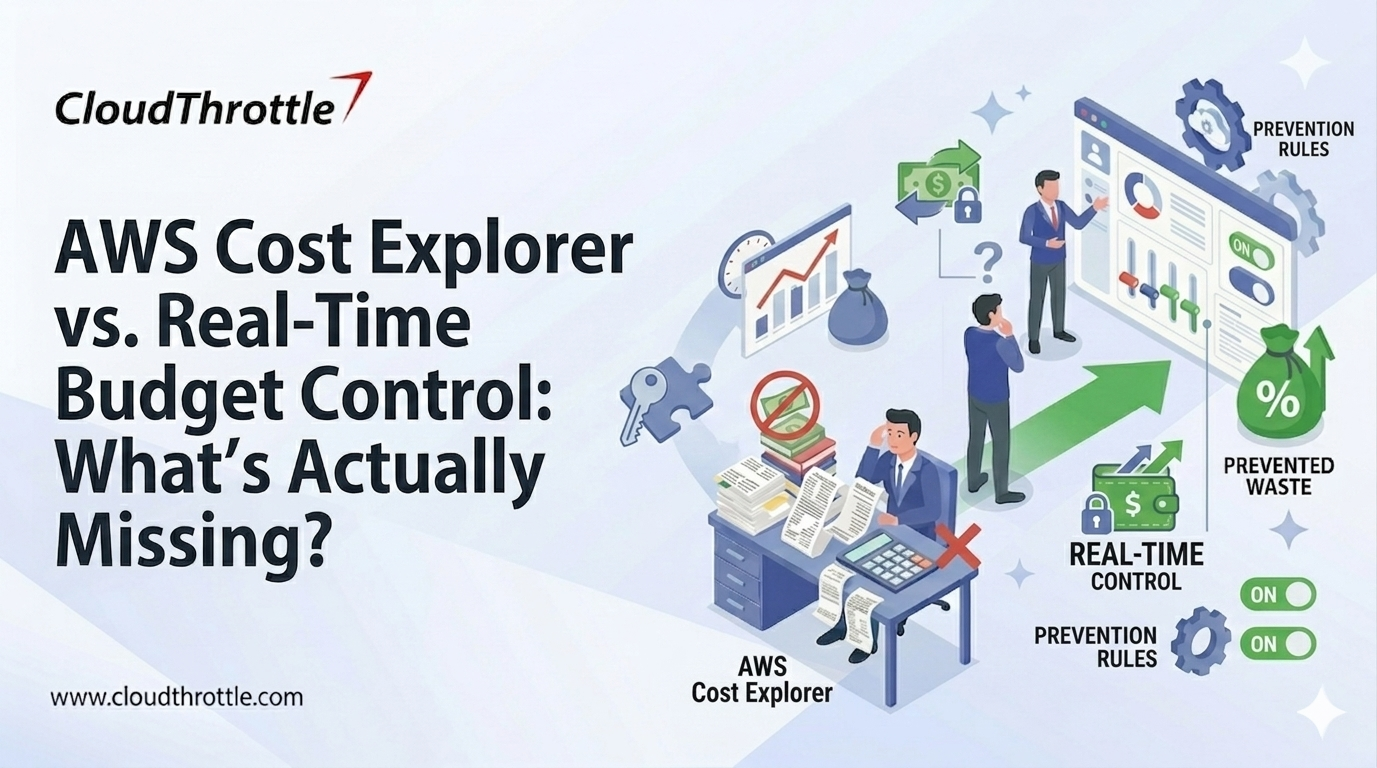
What happens when your AWS bill spikes and you only discover it days later? Well, cost visibility isn’t enough in fast-moving cloud environments. While AWS Cost Explorer provides historical insights and forecasts, it doesn’t offer real-time AWS budget control. By the time you see the spike, the spend has already happened. That’s why comparing AWS Cost Explorer vs real-time budget control is critical for modern cloud governance.
Read the full blog to understand what’s missing in AWS cost monitoring and how real-time AWS cost tracking can prevent overspending.
What Is AWS Cost Explorer?
AWS Cost Explorer is a native AWS cost analytics service designed to provide detailed visibility into historical cloud spending and usage patterns across accounts and regions. It aggregates processed billing data and allows users to filter and analyze costs by dimensions such as service type, linked accounts, tags, instance families, and cost categories, which supports structured financial reporting and internal chargeback models. The platform also offers usage trend analysis and predictive forecasting based on historical consumption behavior. It gives finance and engineering leaders a data-backed view of projected spend under current patterns.
What is Real-Time AWS Budget Control?
Real-time AWS budget control is an operational cost governance approach that monitors cloud spend closely enough to trigger action during the same period when usage is occurring, rather than after billing data is finalized. It combines spend thresholds with workload signals such as scaling events, request volume, node count, and data transfer, then ties those signals to clear ownership so the right team can respond immediately.
AWS Cost Explorer: Core Features
- Historical cost and usage analysis across services, accounts, regions, and time ranges
- Filtering and grouping by linked account, service, usage type, tags, and cost categories
- Forecasting based on past spend trends to estimate future costs
- Cost and usage insights with links to optimization recommendations (such as those provided by AWS Compute Optimizer) tied to usage patterns
- Cost allocation support for chargeback and showback reporting in multi-team setups
- Integration with AWS Budgets for threshold-based alerts using billing data
Real-Time AWS Budget Control: Core Features
- Near-live spend visibility tied to workload signals, such as scaling events and resource creation
- Actionable thresholds that translate budget limits into operational responses
- Automated guardrails like schedules, quotas, and policy restrictions for controlled environments
- Anomaly detection that flags unusual spend patterns early with owner routing
- Ownership mapping that assigns cost responsibility to teams, environments, and services
- Closed-loop workflow that tracks alert, action, and post-fix verification to prevent repeat overruns
Top Benefits of AWS Cost Explorer
- Clear breakdown of historical spend across services, accounts, and regions
- Strong support for chargeback and showback through tags and cost categories
- Trend analysis that helps identify long-term cost drivers and usage patterns
- Forecast views that support quarterly planning and budget conversations
- Faster root-cause direction during reviews through filtered cost dimensions
Top Benefits of Real-Time AWS Budget Control
- Earlier detection of cost spikes during active usage windows
- Faster response because alerts route to the right owner with clear action paths
- Lower waste in dev and test through schedules and automated guardrails
- Better protection against misconfigurations that trigger runaway scaling or logging costs
- Stronger financial discipline because thresholds translate into operational decisions
Best Applications of AWS Cost Explorer
- Monthly cost reviews and CFO-ready reporting
- Chargeback and showback across teams, products, and business units
- Trend analysis to spot long-term cost drivers by service and region
- Forecast-based planning for quarterly budgets and commitments
- Post-incident analysis to explain where spend increased and why
Best Applications of Real-Time AWS Budget Control
- Preventing sudden spend spikes from auto-scaling, batch jobs, or misconfigurations
- Controlling dev and test spend through schedules and policy guardrails
- Managing Kubernetes and container-heavy environments with rapid resource churn
- Keeping multi-account environments within budget through owner-based thresholds
- Reducing high-risk costs like data transfer, logs, and unbounded storage growth
What Is Actually Missing (The Gaps)
Here is what is actually missing, and where AWS Cost Explorer falls short on real budget control:
- Lack of Real-Time Spend Visibility at the Workload Level
AWS Cost Explorer limitations become clear when you examine how the service operates. AWS Cost Explorer reflects processed billing data that may lag by several hours, which creates a delay between resource consumption and cost visibility. In modern environments driven by auto-scaling, burstable compute, and ephemeral workloads, spend can increase rapidly within short time windows. Because visibility comes after billing data is processed, teams often detect spikes too late. What is missing here is alignment between live workload behavior and cost awareness, which real-time budget control addresses by tracking spend as infrastructure changes occur.
- No Budget Enforcement Mechanism
Cost Explorer supports analysis and integrates with budget alerts, but it does not prevent spend from exceeding thresholds. Alerts depend on human intervention, which introduces response delays and operational risk. Without enforcement mechanisms such as policy-based guardrails, automated limits, or controlled shutdown workflows, cost control remains reactive. Real-time budget control bridges this gap by connecting thresholds directly to predefined actions.
- Weak Accountability for Ownership and Decision Rights
One of the key AWS Cost Explorer limitations is around ownership clarity. While Cost Explorer enables cost attribution through tags and cost categories, ownership often breaks down in practice. When cost spikes occur, teams may struggle to determine who is responsible for responding. This slows remediation and increases financial exposure. What is missing is structured ownership mapping tied to workloads and decision rights, ensuring faster and more accountable cost responses.
- Limited Signal Quality for Anomaly Detection and Root Cause
Trend analysis is helpful, but effective anomaly response requires higher-resolution signals connected to operational events. A spike becomes actionable only when it can be tied to a deployment change, scaling configuration, or traffic increase. Cost Explorer does not directly connect cost movement to these operational triggers. Real-time budget control strengthens signal quality by aligning estimated spend signals derived from usage telemetry with contextual telemetry, improving root-cause speed.
- No Closed-Loop FinOps Workflow
Cost Explorer enhances visibility and reporting, but the workflow often stops at analysis. Sustainable cost discipline requires connecting spend signals to actions and then validating whether those actions reduced financial risk. Without this feedback loop, cost governance becomes a periodic review exercise rather than an ongoing control system. Real-time budget control introduces continuous monitoring, action, and verification to close that loop.
How to Bridge the Gap Between Visibility and Control?
The core issue is this: AWS Cost Explorer gives you visibility after spend happens. What we are fixing is the gap between delayed visibility and active cost control.
1. Timing Gap
One of the major AWS Cost Explorer limitations is that it shows processed billing data. By the time you see a spike, the money has already been spent. To close this timing gap, define a baseline in Cost Explorer and then layer near-real-time usage signals on top. This shifts cost management from delayed reporting to active, in-window response.
2. Enforcement Gap
Cost Explorer and AWS Budgets can alert you, but they cannot stop spending. What we are fixing here is the lack of enforcement. Convert budgets into operational guardrails. When a threshold is crossed, define what automatically changes: scaling caps, schedules, or service limits.
3. Ownership Gap
Cost Explorer can show where money is spent, but it does not guarantee clear accountability.
The gap we are fixing is unclear decision rights. Map budgets and services to named engineering and FinOps owners so someone can act immediately when thresholds are breached.
4. Signal Gap
Billing reports do not explain why costs changed.
What we are fixing is the lack of connection between cost spikes and operational events. Tie cost signals to deployments, scaling events, and workload metrics so root cause is visible in real time.
5. Workflow Gap
Cost Explorer improves analysis, but analysis alone does not reduce spend.
The missing link is a closed-loop workflow. Define what happens after an alert, track the corrective action, and validate the cost reduction. This turns cost monitoring into cost control.
AWS Cost Explorer Alternatives
When AWS Cost Explorer’s delayed visibility and limited enforcement are not enough for proactive cloud cost management, these alternatives help close those gaps with real-time tracking, automation, and stronger control.
- Real-Time Budget Control Platforms
Tools built for live spend governance that monitor usage and costs continuously rather than after billing data is processed.
Key Capabilities
- Near-live cost visibility tied to resource usage
- Actionable thresholds that trigger automated responses
- Automated guardrails (schedules, quotas, policy limits)
- Anomaly detection with owner routing
- Closed-loop FinOps workflows
Best For
- Preventing overspend during scaling events
- Mapping cost ownership to teams and environments
- Bringing cost control into CI/CD and operations
- Third-Party FinOps & Cost Governance Solutions
Comprehensive platforms that blend historical analysis, forecasting, and real-time control with collaboration and automation.
Key Capabilities
- Unified cost dashboards and spend optimization insights
- Predictive alerts and anomaly detection
- Automated enforcement (resource caps, tag-based policies)
- Integrations with DevOps and ticketing systems
- Budget ownership and workflow tracking
Best For
- Enterprise cost governance programs
- Multicloud or hybrid cloud spend management
- FinOps teams seeking accountability and control
- Cost & Tag-Based Reporting Tools
Third-party tools that focus on deeper tagging, reporting, and cost allocation insights beyond what Cost Explorer offers natively.
Key Capabilities
- Enhanced tag enforcement and cleanup
- Custom reporting across linked accounts/teams
- Chargeback/showback dashboards
- Trend forecasting with richer dimensions
Best For
- Finance and exec dashboards
- Complex cloud environments with many accounts
- Managed Cloud Cost Advisory Services
Service providers that deliver expert FinOps guidance, tailored budgets, control guardrails, and implementation support.
Key Capabilities
- Customized cost governance frameworks
- Policy and guardrail implementation
- Continuous cost optimization reviews
- Alert and automation setup
Best For
- Organizations new to cloud cost governance
- Teams needing implementation acceleration
AWS Cost Monitoring Tools Comparison
Comparing AWS cost monitoring tools helps teams choose the right approach for visibility, control, and prevention. Below is a clear comparison of key solutions and how they differ in capabilities:
AWS Cost Explorer
- Purpose: Historical cost analysis and reporting
- Data Timing: Processed billing data (delayed)
- Best For: Monthly reviews, forecasting, cost attribution
- Strengths: Trend analysis, chargeback/showback support, budgeting insights
- Limitations: No real-time spend control or automated enforcement
AWS Budgets
- Purpose: Budget threshold alerts
- Data Timing: Near billing data with alerting capabilities
- Best For: Cost threshold notifications
- Strengths: Custom budget alerts, flexible threshold settings
- Limitations: Alerts only; no automatic corrective actions or workload-level control
CloudWatch Metrics & Alarms
- Purpose: Monitoring resource performance and infrastructure signals
- Data Timing: Near real-time metrics
- Best For: Linking cost drivers with operational events
- Strengths: High-resolution usage telemetry, scalable event triggers
- Limitations: Not inherently a cost tool; requires integration to infer spend signals
Real-Time Budget Control Tools
- Purpose: Active budget enforcement and prevention
- Data Timing: Near-live usage and spend signals
- Best For: Preventing overspend before it happens
- Strengths: Automated guardrails, workload-aligned thresholds, actionable workflows
- Limitations: May require integration/setup outside native AWS tools
Third-Party FinOps Platforms
- Purpose: Unified cost observability and control
- Data Timing: Can blend near-real-time data with billing history
- Best For: Enterprise cost governance and automation
- Strengths: Cost anomaly detection, predictive alerts, enforcement workflows
- Limitations: May add additional cost and implementation complexity
AWS Cost Explorer vs Real-Time Budget Control: Key Differences at a Glance
Disclaimer: For informational purposes only, based on publicly available information at the time of publication. Pricing, features, and capabilities may change; verify with vendors. No endorsement or warranties implied.
Which Is Better?
For Financial Reporting and Historical Analysis → AWS Cost Explorer
- Best for monthly cost reviews
- Strong for trend analysis and forecasting
- Supports chargeback and showback models
- Useful for CFO-level reporting
- Helps identify long-term cost drivers
For Active Spend Prevention and Operational Control → Real-Time Budget Control
- Detects cost spikes during active usage
- Connects thresholds to automated actions
- Reduces runaway scaling and misconfigurations
- Strengthens workload-level ownership
- Prevents overspend before billing closes
The Practical Answer
AWS Cost Explorer is better for visibility.
Real-time AWS budget control is better for prevention. Mature cloud environments use both: one for reporting, the other for control.
Conclusion
AWS Cost Explorer is powerful for historical analysis, forecasting, and financial reporting. However, it does not provide real-time budget enforcement or operational cost control. Modern cloud environments require active guardrails, workload-level visibility, and defined response workflows to prevent overspend before it escalates. Real-time AWS budget control complements Cost Explorer by turning visibility into action.
Ready to move from cost visibility to cost control?
Partner with CloudThrottle to implement real-time AWS budget guardrails that prevent overspend and strengthen operational FinOps discipline.
Note: Information reflects publicly available sources at the time of publication and may change.